
What Is Variable Data Printing?
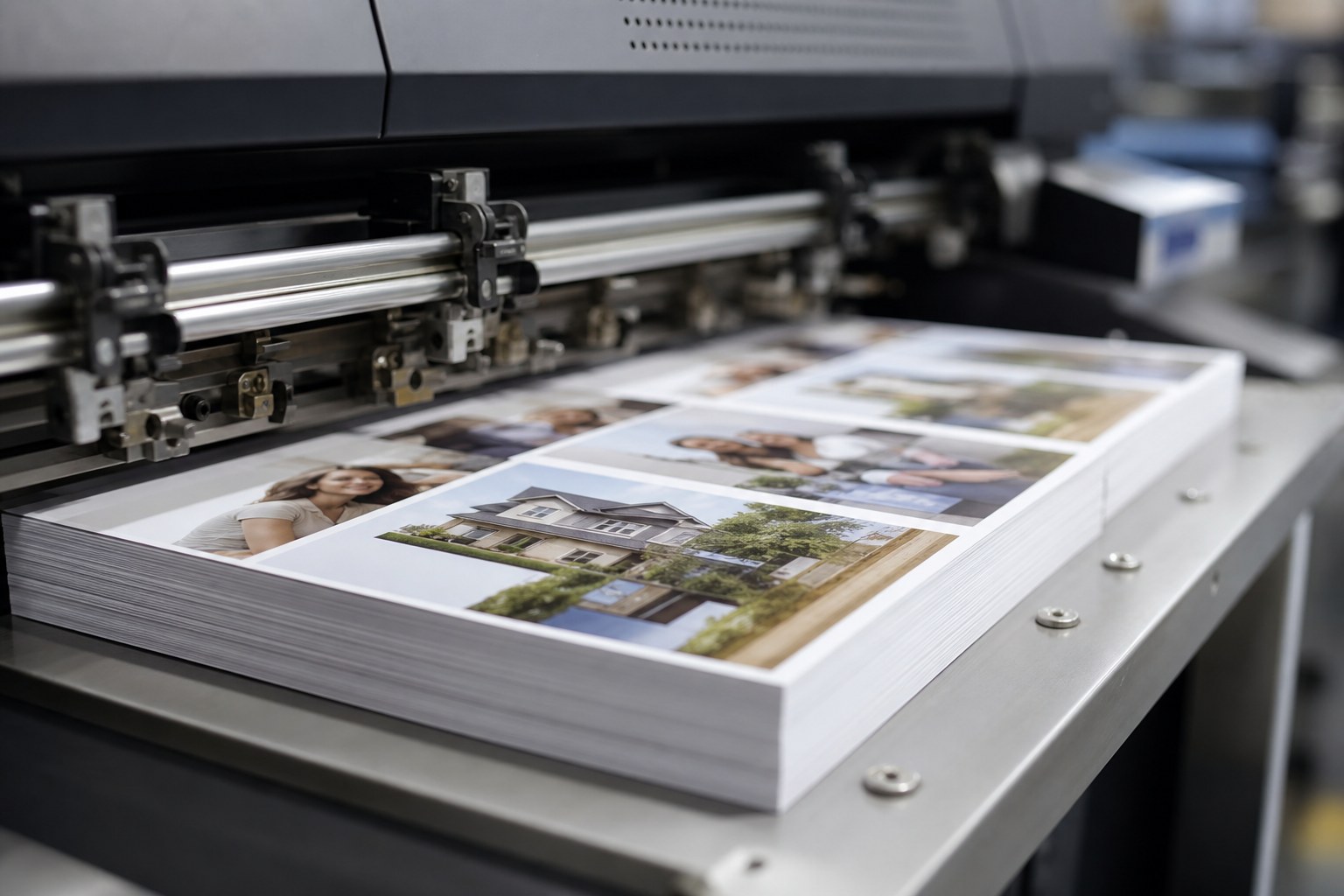
Variable data printing (VDP) is a digital printing method that changes text, images, or graphics from one printed piece to the next without stopping the press. It lets you produce 10,000 mailers where every single one carries a different name, address, offer, or image, all in a single print run.
Traditional offset printing produces identical copies. Every sheet is the same. Variable data printing works differently. It pulls information from a database and merges it into a print-ready file, so piece number one and piece number 9,999 can each speak directly to the person holding it. The press never pauses to swap plates or reset. It just keeps running while the content shifts underneath.
For marketing teams in Quebec juggling bilingual campaigns, VDP also handles language switching. The same run can print French mailers for one segment and English for another, based on a field in your data file.
How Does Variable Data Printing Actually Work?
Variable data printing works by connecting a design template to a data source, then using software to fill in the changing fields automatically as the digital press prints each piece.
Think of it as a very sophisticated mail merge, but built for production printing rather than your office inkjet. The process breaks down into three parts.
The Static Template
This is the part that stays the same on every piece: your logo, brand colours, layout structure, and any fixed copy. A designer builds it once, leaving placeholder zones for the content that will change.
The Variable Fields
These are the placeholders. A field can be simple, like a first name or a postal code. It can also be complex, swapping an entire product photo based on what a customer bought last, or changing an offer amount based on their spending tier.
The Data File
Your list drives everything. Usually this arrives as a CSV or Excel file, with each row representing one recipient and each column representing a field (name, address, offer code, preferred language, and so on). Clean data matters here more than almost anything else, and this is where most projects run into trouble.
The software (common tools include XMPie, PrintShop Mail, and Adobe InDesign with data merge) links each column to its matching placeholder. When the job runs, the digital press generates a unique version for every row in the file.
Why Personalization Improves Response Rates
Personalized direct mail consistently outperforms generic mail because it feels relevant to the recipient, and relevance is what moves people to act. Canada Post research on direct mail has found that physical mail engages recipients in ways digital channels struggle to match, and personalization strengthens that effect.
The logic is straightforward. A postcard addressed “Dear Valued Customer” gets glanced at and tossed. A postcard that opens with the recipient’s name, references the store nearest their postal code, and shows a product in a colour they have bought before earns a second look. That second look is often the difference between a sale and a recycling bin.
VDP also lets you test at scale. You can print variant A for half your list and variant B for the other half, then measure which offer or headline pulled better. Because it all runs in one job, the cost difference between a plain run and a fully personalized one is small on a digital press.
What Can You Personalize on a Single Run?
You can personalize almost any element on a printed piece, from a single word to the entire design, as long as the data supports it. Here are the elements clients ask for most:
- Names and salutations in the greeting and throughout the body copy
- Addresses printed directly on the piece, removing the need for separate labels
- Offer codes and coupons unique to each recipient for tracking redemption
- Images and product photos that swap based on purchase history or region
- Maps and directions pointing to the closest branch or retail location
- Language switching between French and English per recipient
- Charts or account summaries for statements and financial mailers
- QR codes with a unique URL per person for measuring digital response
The more fields you personalize, the richer the data file needs to be. A name-and-address run is simple. A run that changes images, offers, and language for each customer requires a well-structured database and careful proofing.
Offset vs Digital for Variable Data Jobs
Variable data printing requires digital presses, not offset, because offset uses fixed plates that cannot change content between sheets. This is the single most important technical point to understand before planning a VDP campaign.
Offset printing remains the better choice for very high volumes of identical pieces, since the cost per unit drops sharply at scale. But the moment your job needs unique content on each piece, offset cannot do it. The plates are locked.
Digital presses image every sheet fresh, which is exactly what personalization demands. For a run of 10,000 personalized mailers, digital is the practical and usually the only real option. Pricing varies by job depending on size, paper stock, finishing, and how many variable elements you include, so it is worth asking a printer for a quote based on your actual specs.
Preparing Your Data File the Right Way
A clean, well-organized data file is the foundation of every successful variable data print job, and poor data is the leading cause of delays and errors. Spending an hour on your file before it reaches the printer saves days later.
Standardize Your Columns
Give each column a clear header (FirstName, LastName, Address, City, Province, PostalCode, OfferCode). Keep one piece of information per column. Do not combine first and last name into a single cell if you want to personalize the greeting with just a first name.
Clean the Obvious Errors
Watch for blank cells, misspelled cities, inconsistent capitalization (MONTREAL vs Montreal), and postal codes in the wrong format. Canadian postal codes follow the A1A 1A1 pattern, so a quick check catches a lot of problems.
Handle Missing Data Gracefully
Decide in advance what happens when a field is empty. If a recipient has no first name in the file, should the greeting say “Hello” instead of “Hello ,”? Set fallback rules so blank fields never produce awkward gaps.
Match the File to the Template
Confirm that every variable field in your design has a matching column in your data, and vice versa. Mismatches are where personalization goes sideways, with the wrong name landing in the wrong spot.
Always request a proof. Reviewing a handful of sample pieces (including edge cases like long names and empty fields) before the full run protects you from a costly reprint.
Common Uses for Variable Data Printing
Variable data printing suits any project where relevance to the individual recipient improves results. The most common applications include:
- Direct mail campaigns with personalized offers and names
- Loyalty programs sending members tailored rewards and point balances
- Event invitations with personalized details and RSVP codes
- Account statements and invoices for banks, utilities, and insurers
- Real estate mailers showing listings by neighbourhood
- Retail promotions targeting customers by past purchases
- Membership cards and passes printed with individual names and numbers
Frequently Asked Questions
How many pieces do I need for variable data printing to make sense?
There is no strict minimum. VDP works for runs of a few hundred up to hundreds of thousands. Because setup is digital, even smaller personalized runs are practical. The right volume depends on your campaign goals, so discuss it with your printer.
Is variable data printing more expensive than regular printing?
The per-piece cost is often close to a standard digital run, since the personalization happens in software during printing. The main added cost is data preparation and proofing time. Pricing varies by job, so request a quote with your specific specs.
What file format should I send for my data?
CSV or Excel (.xlsx) files are the most common and easiest to work with. Keep your columns clean and clearly labelled. Confirm the preferred format with your printer before sending, as some workflows have specific requirements.
Can you personalize in both French and English on the same run?
Yes. Add a language field to your data file, and the template can switch copy per recipient. This is a common request for Quebec campaigns that reach both French and English audiences in a single mailing.
How long does a variable data print job take?
Turnaround depends on volume, finishing, and how clean your data arrives. A well-prepared file moves faster than one needing cleanup. Ask your printer for a timeline once they have reviewed your data and specs.
What happens if there is an error in my data file?
Errors in the file print as errors on the piece, which is why proofing matters. Reviewing sample pieces before the full run catches mistakes early. A careful printer will flag obvious problems, but the source data is your responsibility.
Ready to Personalize Your Next Campaign?
Variable data printing turns a single print run into thousands of individual conversations, and it does so without slowing the press or inflating your budget the way you might expect. The results come down to two things: clean data and a good proof.
Accent Impression has spent 36 years helping Quebec businesses plan, prepare, and produce personalized print that gets results. Bring your list and your goals, and the team will help you build a campaign that reaches each recipient with something that actually speaks to them.